
How to Build Digital Contact Cards on Wix
1 September 2026 · 3 min read
Turn Wix member profiles into downloadable VCF contact cards, with selective sharing, server-side permissions and practical compatibility checks.

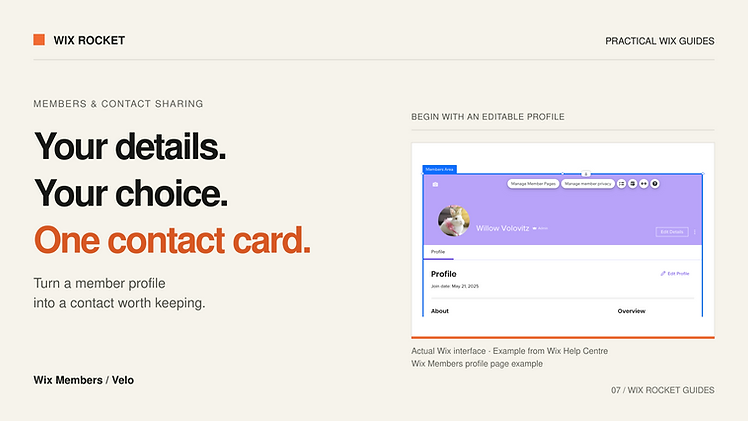
A digital contact card should save someone from retyping your details. It should also let you choose which details you are handing over.
On Wix, a custom member profile can feed a downloadable VCF file. The interesting work is deciding what belongs in that file, who may generate it and how it behaves when imported into different contact applications.
Understand the difference between a profile and a card
A profile is an editable record on your website. A VCF is a file containing contact information in the vCard format. A recipient can import it into a compatible address book, subject to that application's behaviour.
The file is normally a snapshot. Updating the website profile does not automatically update a contact already imported into someone else's phone. If you also provide a live profile link or QR code, explain that distinction clearly.
A QR code pointing to a profile page is a way to reach the card; it is not the contact-file format itself.
Choose the sharing model first
Will every member have a public card, or should a member choose fields each time they generate one? The first option is simpler to distribute. The second offers more control when business and personal details coexist.
For selective sharing, we recommend starting with an empty set and adding only allowed fields the user selects. Typical candidates include display name, organisation, role, business email, telephone and website. Internal identifiers, account status and administrative notes should not enter the export by default.
Show a preview of the chosen details before download. A member should not have to inspect a technical file to know what they are sharing.
Enforce the same rules on the backend
The frontend can present checkboxes, but the backend should verify profile ownership and the requested field list. Do not accept an arbitrary profile ID and return its entire record.
Keep private profile storage distinct from any public profile representation. Wix CMS permissions help govern collection access; privileged backend functions must still apply the intended ownership and sharing rules.
For public exports, decide whether requests can include only an approved public identifier and what happens when a member disables their card. Previously downloaded files cannot be recalled through the website.
Generate a real vCard file
The vCard specification defines structured properties, escaping and formatting rules. A reliable implementation uses a suitable library or carefully implements the chosen format rather than renaming plain text with a .vcf extension.
Select a vCard version deliberately and test it against the contact apps your audience uses. The current standard is a useful reference, but standards compliance alone does not guarantee identical import behaviour in every application.
Names with accents, punctuation in organisation names, multiple phone numbers and international dialling prefixes are worthwhile test cases. Check that special characters survive the download and import process.
Keep images useful and modest
A large profile photo can make a small contact download unnecessarily heavy. If you include images, confirm the chosen format and library support them, then assess resizing and compression. Also test a card without an image; the core contact information should remain useful.
Use a sensible filename and make the download button's purpose clear. Mobile users should understand that they are downloading contact details, not installing an app.
A project example: selective contact sharing
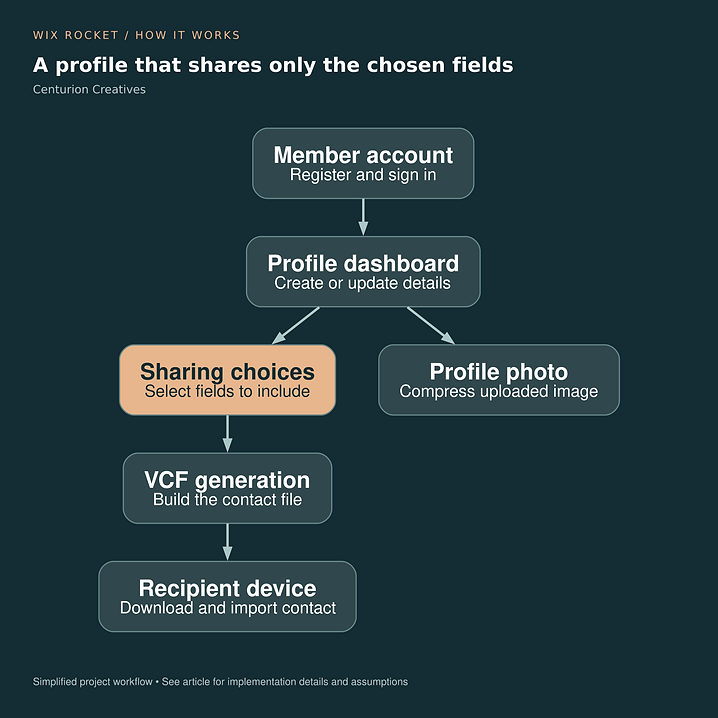
Centurion Creatives combined member registration, editable profiles and selective VCF generation on Wix. The project used third-party libraries for file creation and image handling. Its diagram illustrates the profile-to-card journey; this guide's compatibility checks are recommendations for comparable builds.
Read the Centurion Creatives case study.

Plan around the recipient's experience
Test the complete sequence on real target devices: open the page, choose the details, download, import and inspect the resulting contact. Wix Rocket can help connect the member interface and export logic so sharing feels straightforward at both ends.